


If you are running ads on LinkedIn and want a reliable LinkedIn ad lead capture automation in your CRM, such as HubSpot/Salesforce, you have three practical routes to make it happen.
The first is the default approach, but it is insufficient for most B2B teams. The second captures more, yet demands heavy manual effort. The third is automated and superior (spoiler: it is ZenABM), which turns LinkedIn ad lead capture automation into a hands-off workflow.
Let’s walk through all three.
This is the most basic option.
Install HubSpot’s tracking script on your landing pages and add UTMs to your LinkedIn ad links.
The UTMs stamp the source as “LinkedIn,” and HubSpot’s cookie (hubspotutk) stores those parameters on arrival.
This method pushes a LinkedIn ad lead into your CRM only when all of the following conditions hold true:
Yes, HubSpot supports cross-session attribution in theory, but it depends on cookies that often fail in practice:
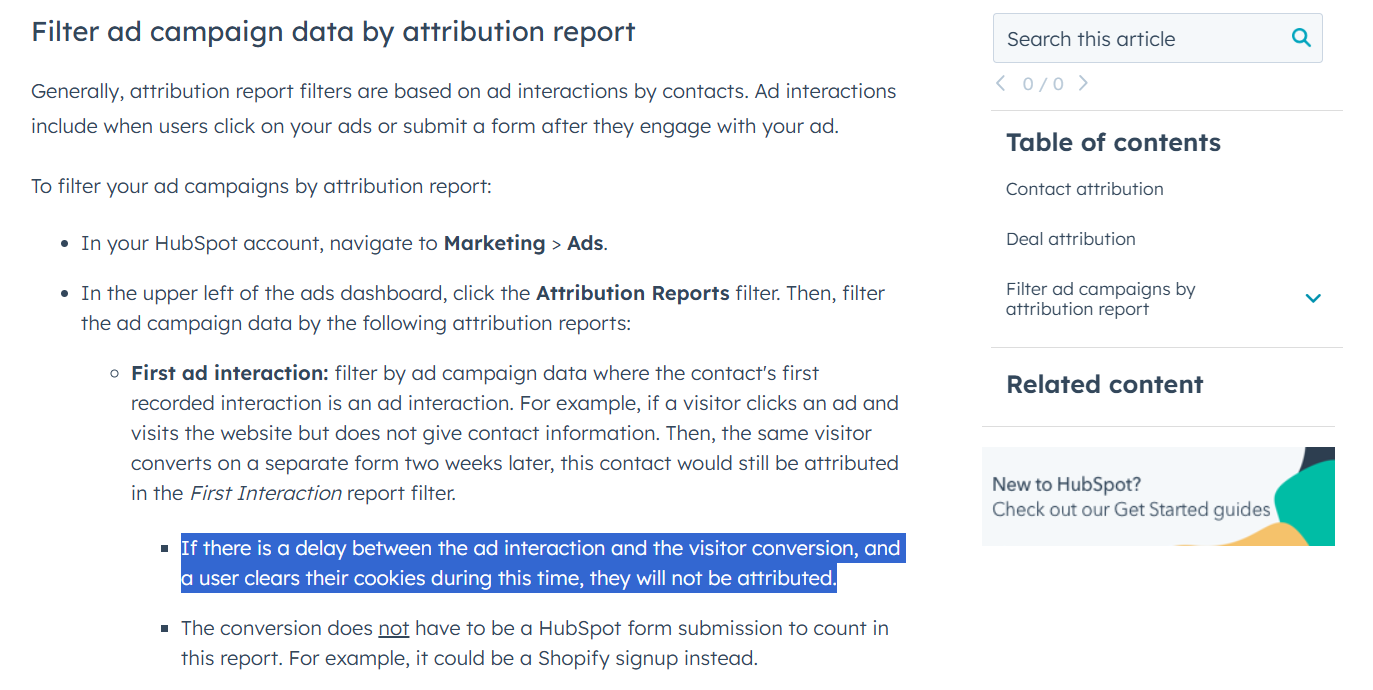
The entire chain assumes the browser keeps the HubSpot cookie intact. If the person clears cookies, switches devices, changes browsers, or returns after a long gap, HubSpot loses the trail. The form then appears to come from a new visitor with no LinkedIn link.
The first approach misses view-through attribution, and cross-session click-through tracking rarely connects the dots.
Here is the more advanced workaround:
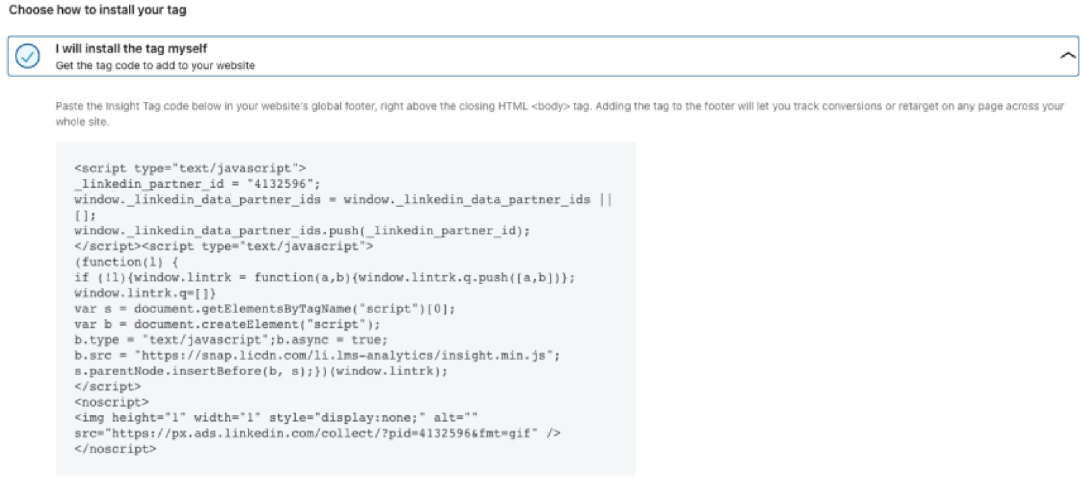
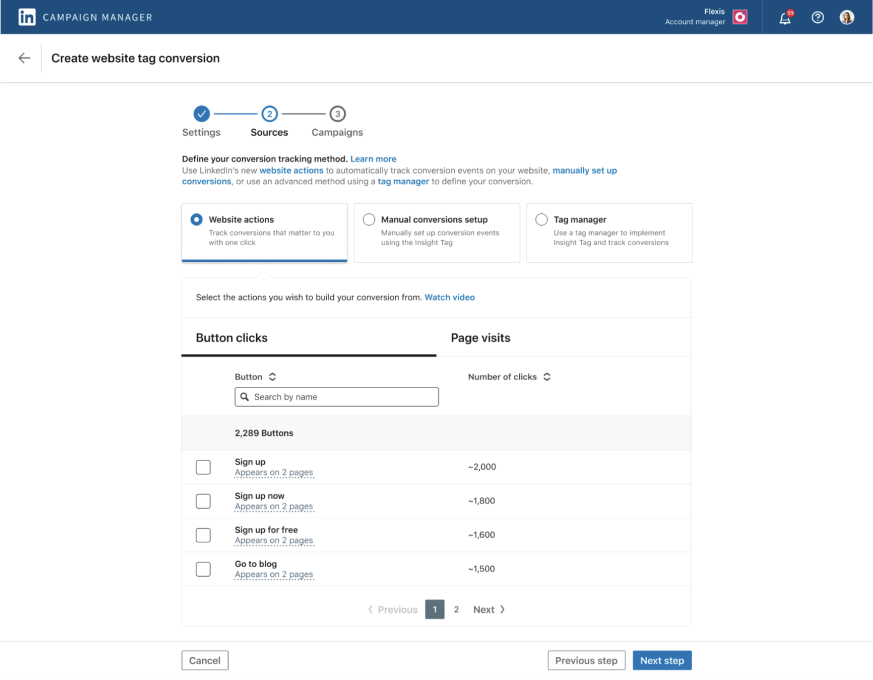
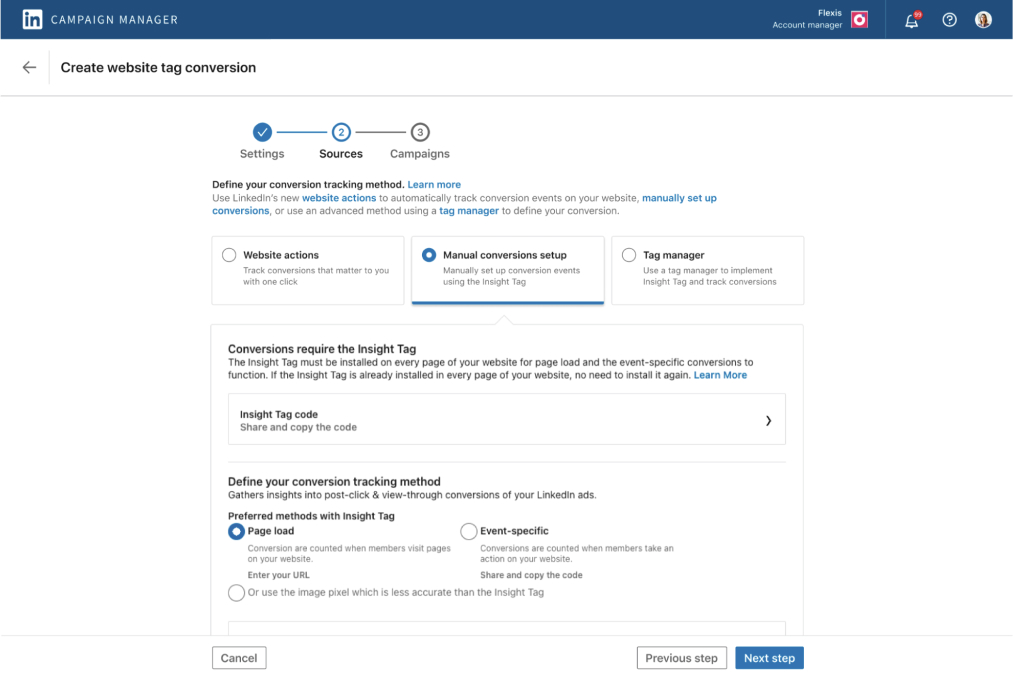
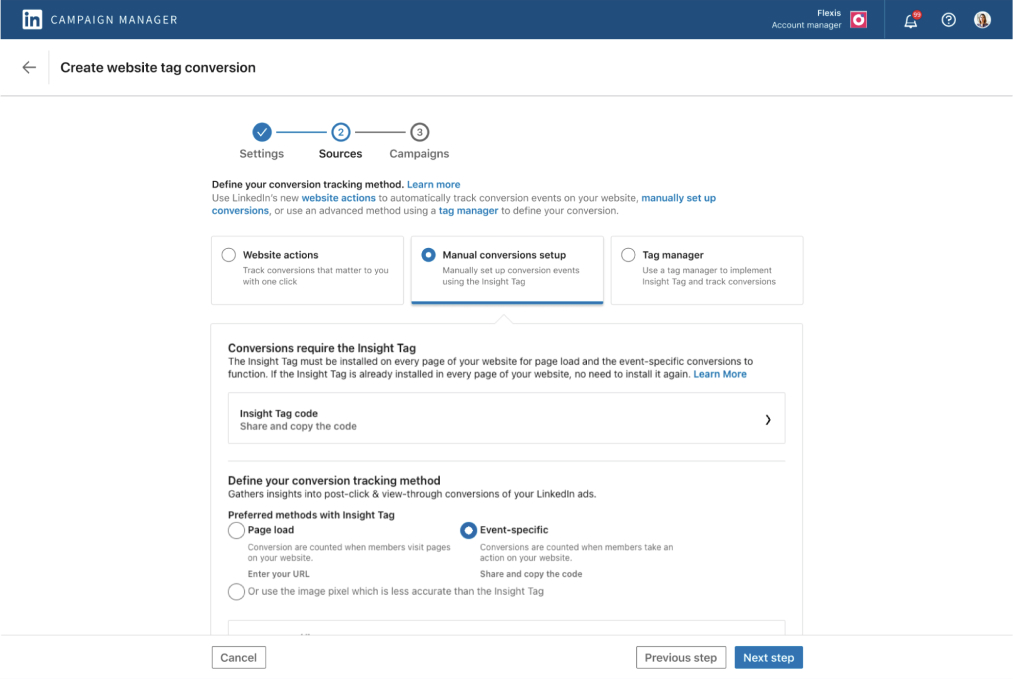
And configure CAPI:
/conversionEvents with the rule URN, timestamp, value, and user identifiers.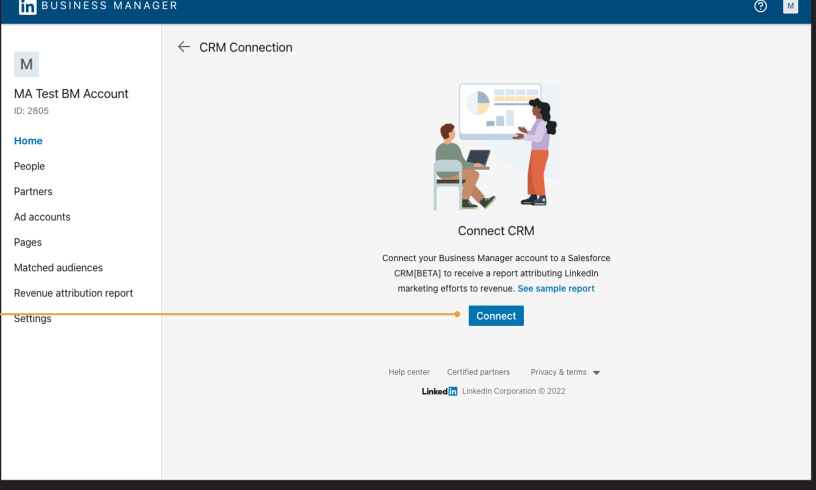
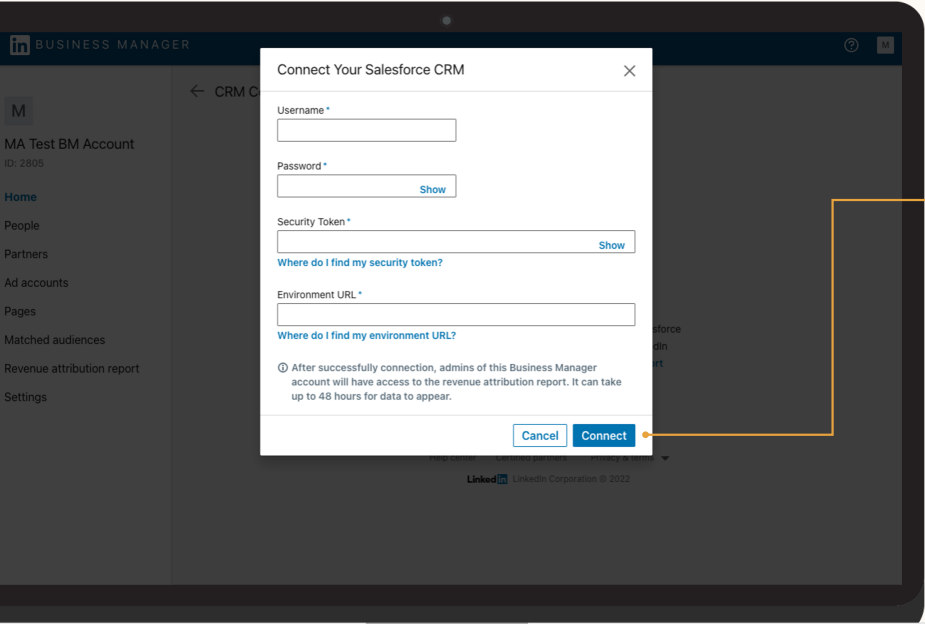
At this point, you can see the view-through outcomes. People who saw a LinkedIn ad and later converted via another channel will appear in your reports.
However, you must still download lead files from Business Manager and upload them to your CRM, such as HubSpot, on a frequent cadence.
Even with all of this, you run into three issues:
To handle cross-device cases or viewer and submitter mismatches at the same company, lean on Campaign Manager.
The Companies tab lists company-level impressions, clicks, and engagements. You can check whether a new lead’s company shows recent engagement and then infer that LinkedIn contributed.
It works, yet it adds daily manual effort. You would track each lead import, look up the company in Campaign Manager, and reconcile the two throughout the day, which is not a scalable LinkedIn ad lead capture automation by any measure.
Method one ignores view-through behavior, which is a major gap on LinkedIn, where CTR averages only 0.4 to 0.5%: 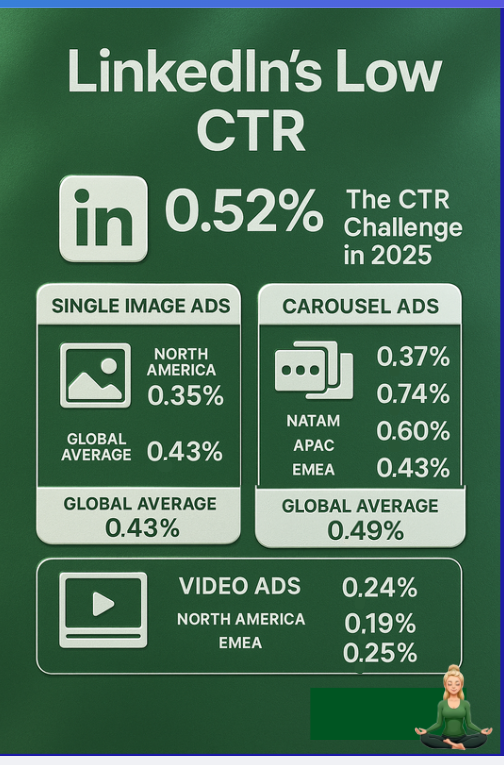
That means 4 to 5 clicks per thousand impressions, while many people still convert later through other paths.
Method two can capture view-through activity and push it toward your CRM, but it relies on continual manual ops and context switching across tools, which is not realistic when you want sales to engage immediately.
The smarter approach is to focus on MQAs, meaning marketing qualified accounts, rather than isolated leads. In B2B buying, committees decide, not single clickers.
Here is where ZenABM gives you true automation.
It pulls company-level impressions, clicks, engagements, and ad spend from the official LinkedIn API:
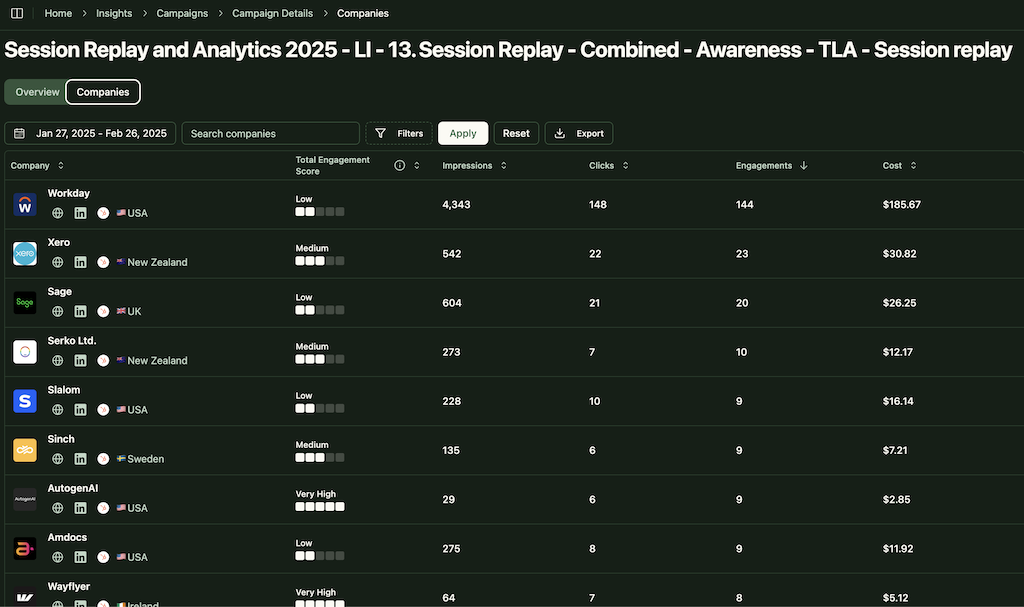

Then it writes those fields to your CRM as company properties automatically:

Your sales team sees every meaningful company-level signal in the system they already use, which is exactly what LinkedIn ad lead capture automation should deliver.
Any account with strong engagement becomes an MQA and should receive prompt BDR attention.
If you prefer a hybrid of MQAs and traditional lead capture, that is simple as well. When a form arrives, check the company’s recent engagement in your CRM fields. High engagement implies LinkedIn influence, so you can attribute the lead confidently.
This keeps both companies and their individual leads on your radar at all times, so marketing and sales do not miss a single hot account.
ZenABM goes beyond syncing. It adds intelligence that moves deals forward.
ZenABM calculates a rolling Current Engagement Score, for example, the last 7 days, flags hot accounts, updates ABM stages, and routes them to BDRs automatically without custom workflow building.
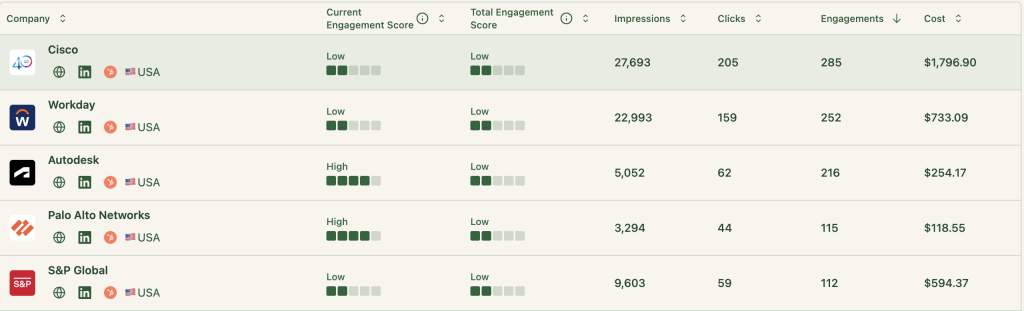
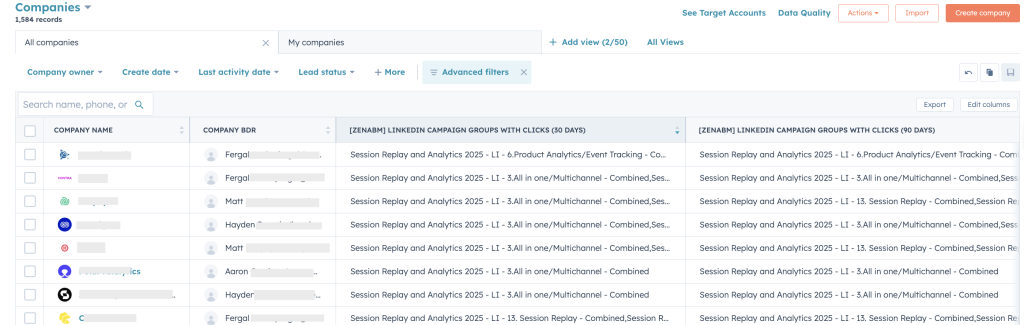
Define stage logic that blends ad signals with CRM activity so every account lands in the right place on your funnel.

ZenABM not only pushes engagement into the CRM. It also pulls deal values back to match pipeline and revenue with the accounts that engaged.
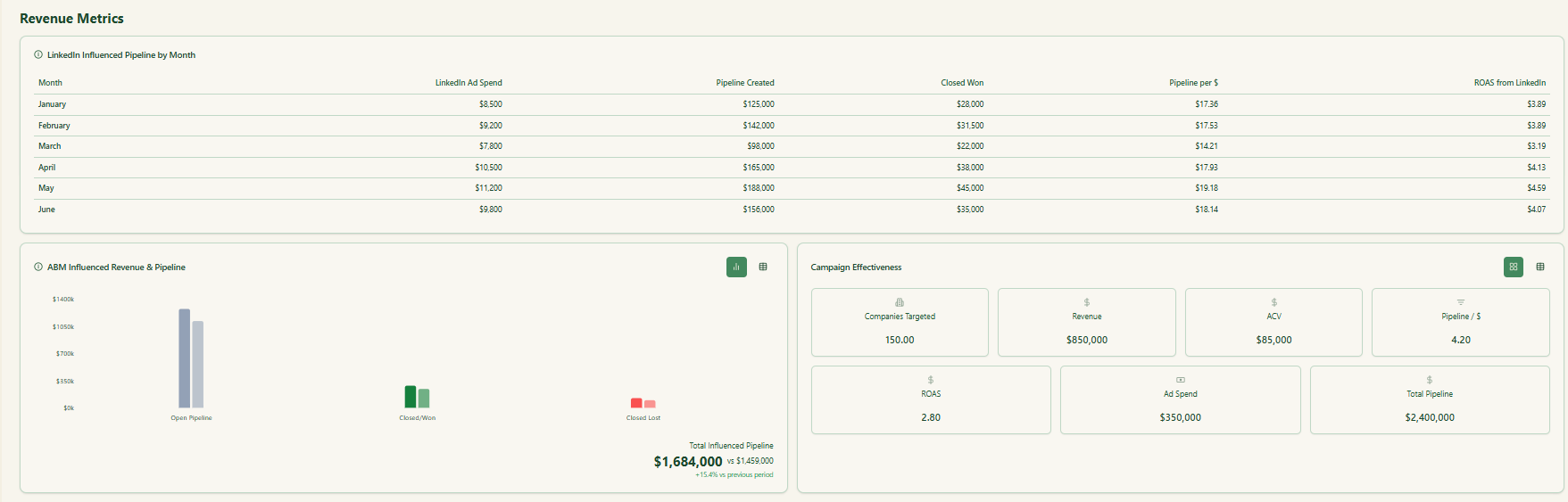
Prebuilt dashboards show pipeline, spend, ROAS, and top engaged accounts, segmented by campaign and account. The calculations are already wired.
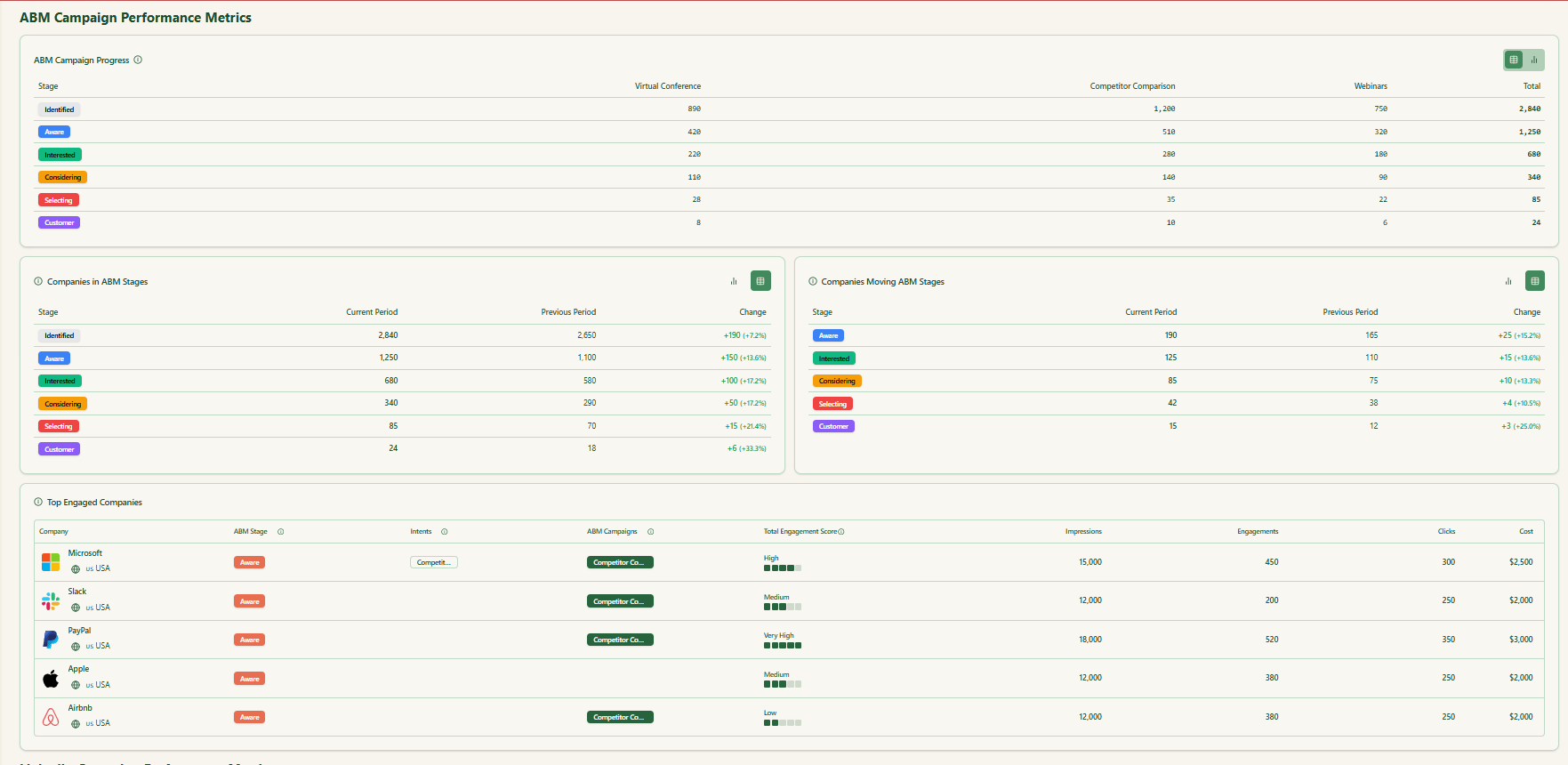
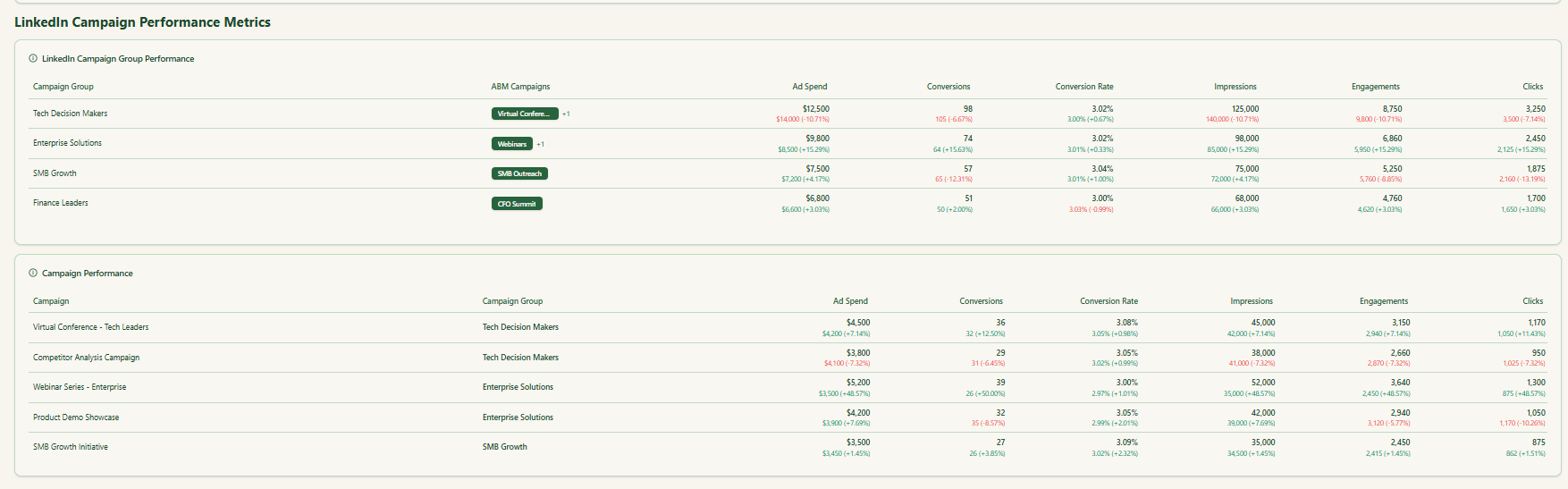
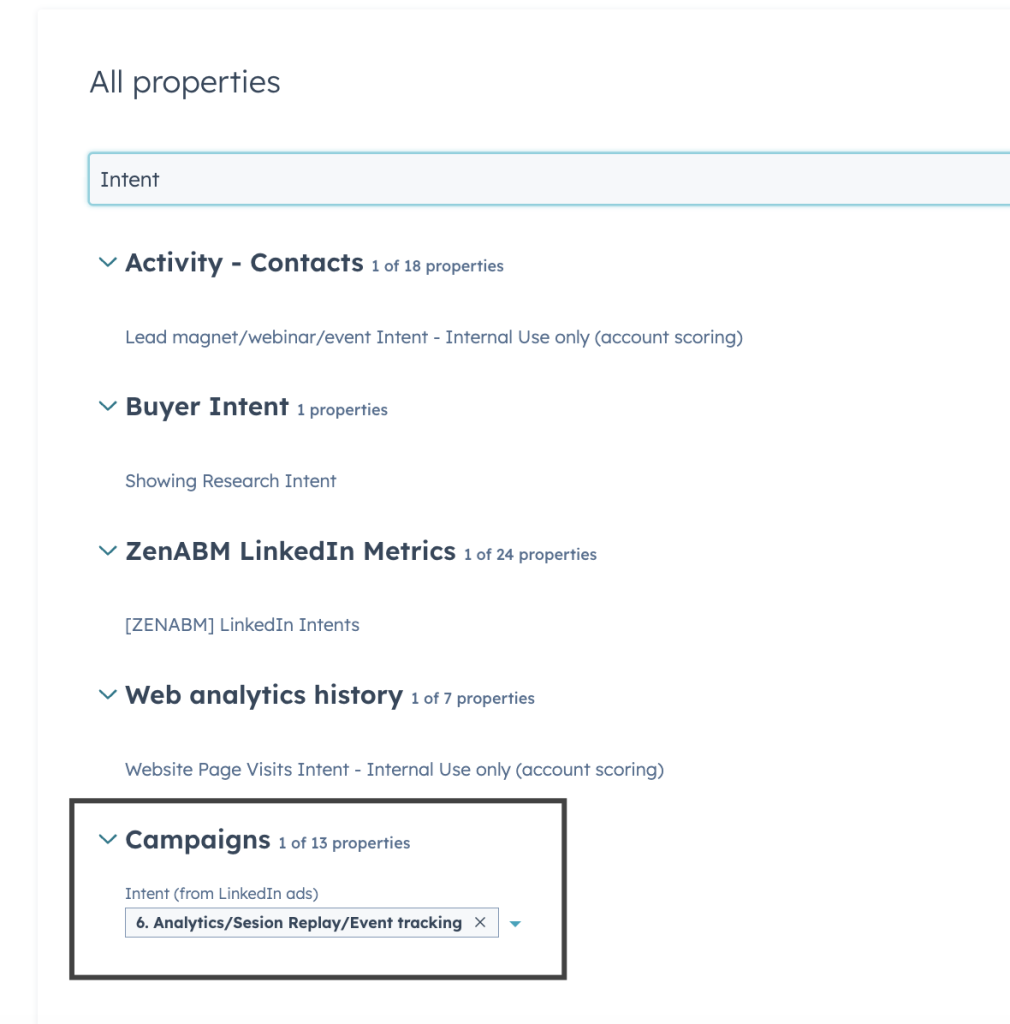
If you segment by features or problems, ZenABM detects which companies engage with which themes and writes that intent to the CRM as properties. No complex workflow building required.
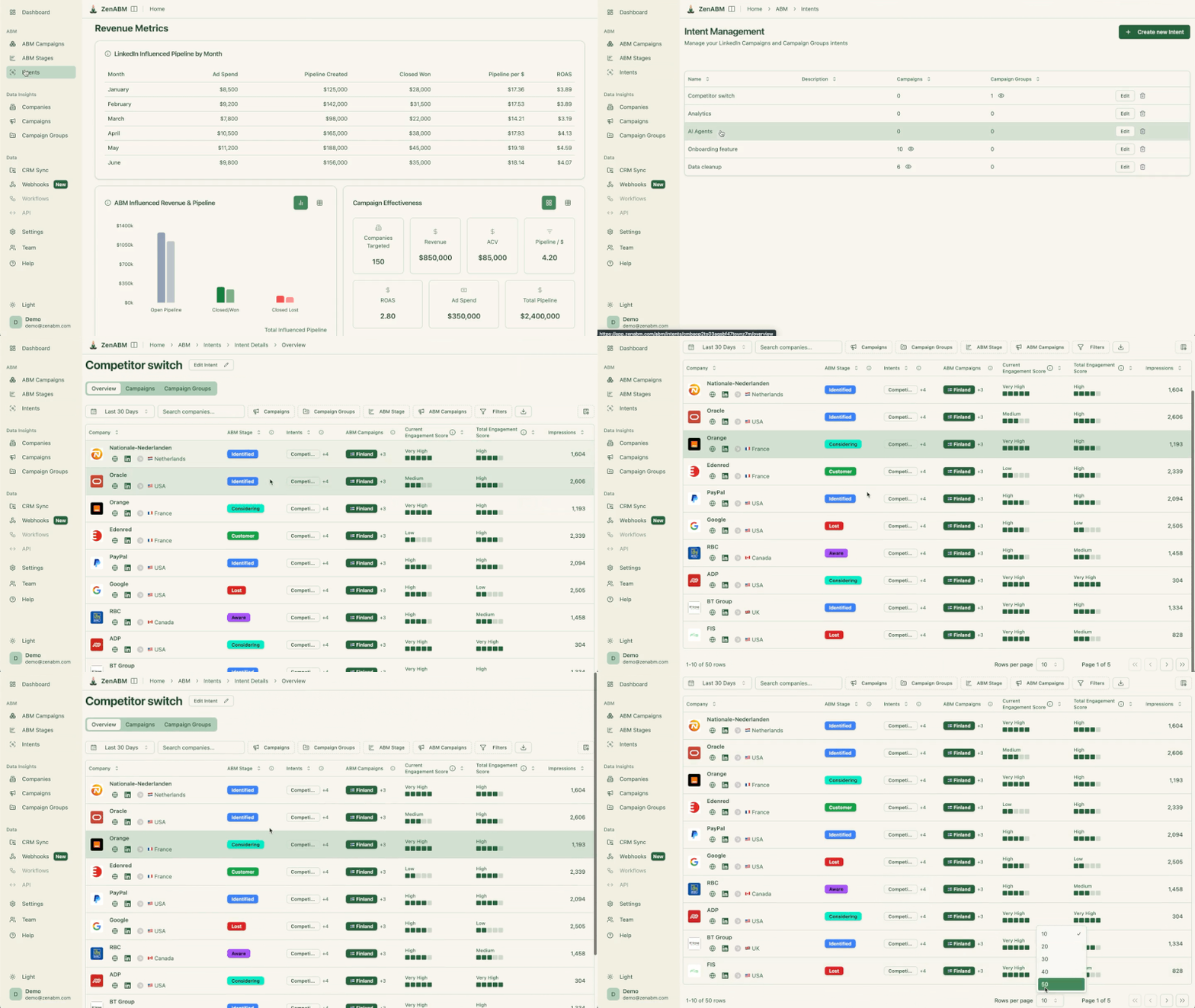
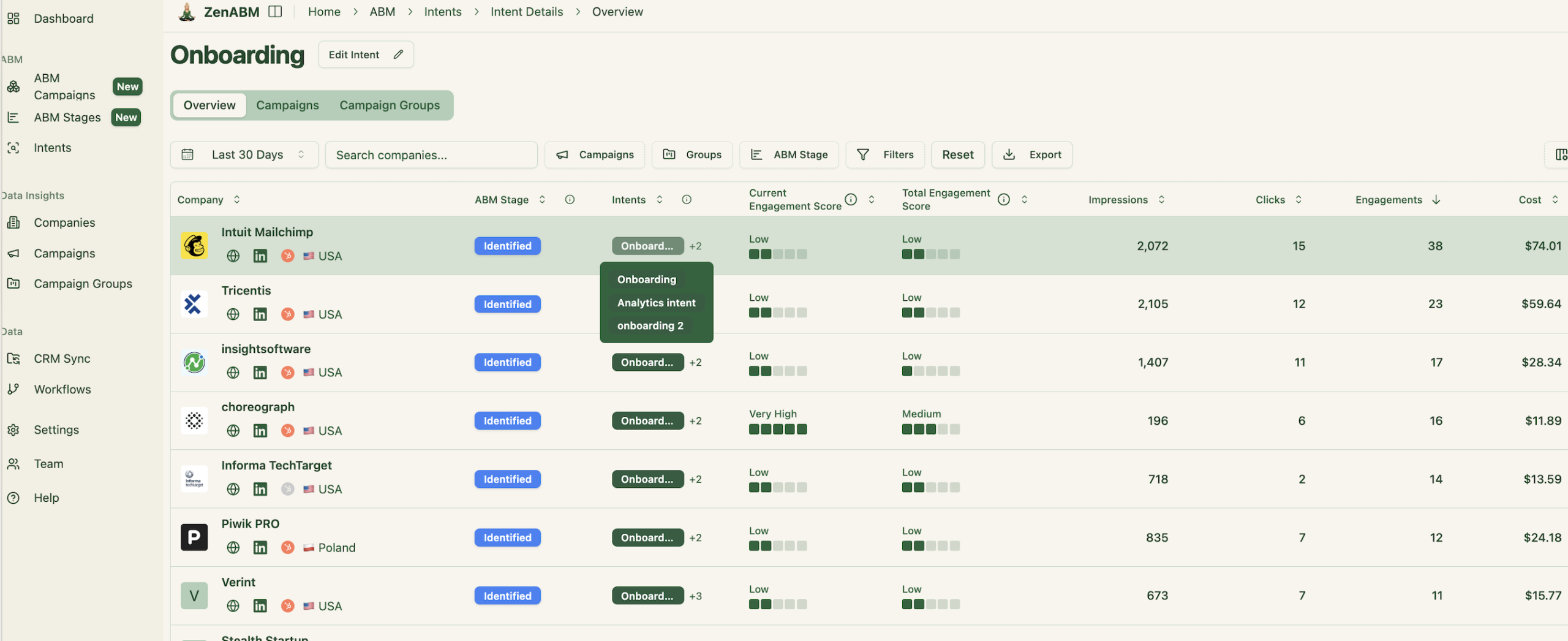
For advanced build tips, check the full guide on running ABM on LinkedIn.
If you still depend on cookie-based methods or file uploads to push LinkedIn ad leads into HubSpot, prepare for missed attributions and slow reaction times.
Here is the reality. Lead-level tracking on LinkedIn underperforms because CTRs are low, journeys span devices, and buying happens by committee. A true LinkedIn ad lead capture automation should capture account-level signals, not just isolated clicks.
Move to MQAs. Let your CRM operate on company engagement that reflects real intent. ZenABM automates collection, scoring, syncing, and routing so your sales team gets a clear, actionable view.
Stop burning hours reconciling spreadsheets. Start prioritizing high-intent accounts with confidence.
Ready to upgrade your capture and routing workflow?
